
Exhhhale
Relax…
we’re professionals.
Put on the rain and settle in. Exhhhale helps you tune out distractions, whether you’re getting some work done or trying to fall asleep.
Let me know when it’s ready ↗Coming to iPhone & iPad
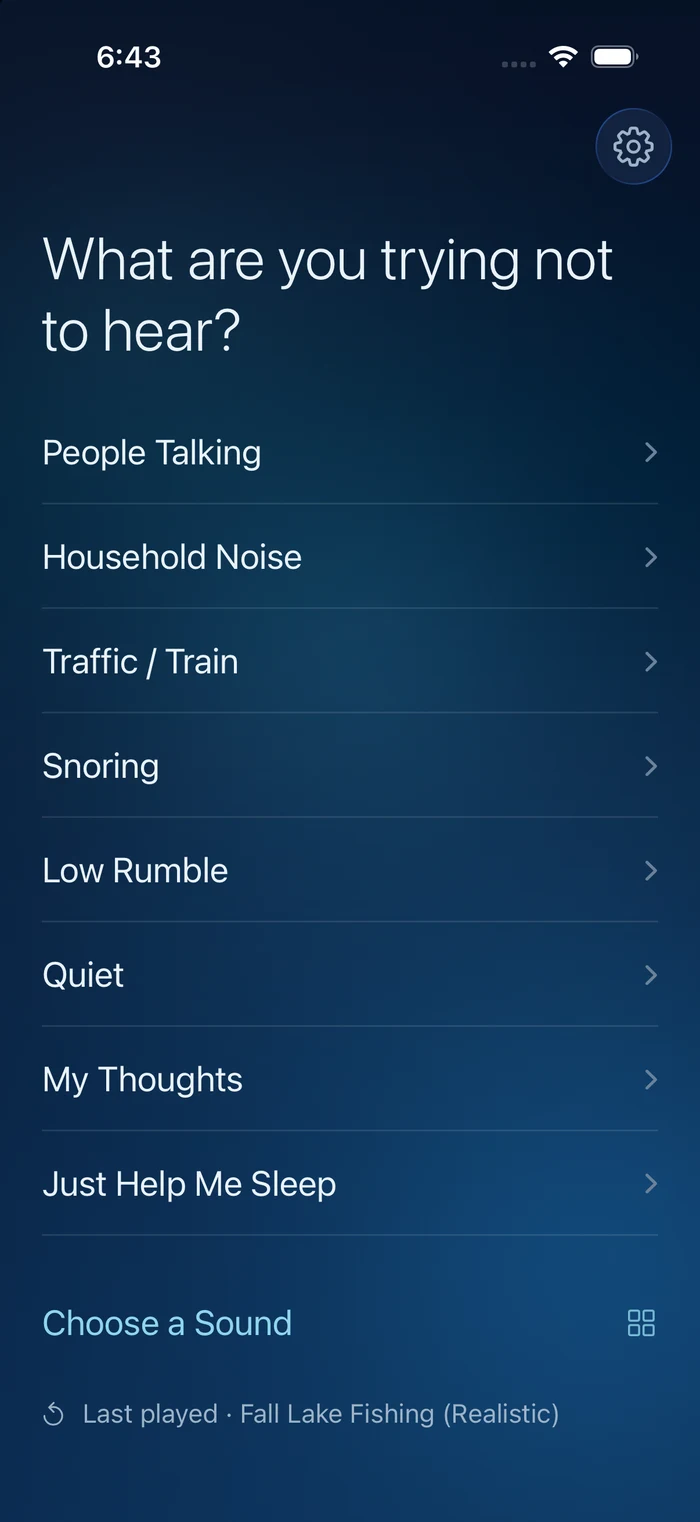
What are you
trying not to hear?
The loudmouths on your train don’t need an audience. Try a steady downpour while you read, watch the city go by, or close your eyes.
What would you
rather hear?
Rain, a familiar fan, a fire. Choose whatever feels good.

Air & machines

Fire

Nature
Cabins & starships
Explore the sounds →
THE STARSHIP LOUNGE
Stay a while.
There’s a jazz band in the corner and a view of the stars.
Turn the lights down. You have nowhere to be.
Starship Forward · App preview
From the app in development
CHOOSE
Start with
what’s bothering you.
People talking, household noise, or too much quiet. Tell the app what’s in the way, or go straight to a favourite sound.
MIX
Keep what
you like.
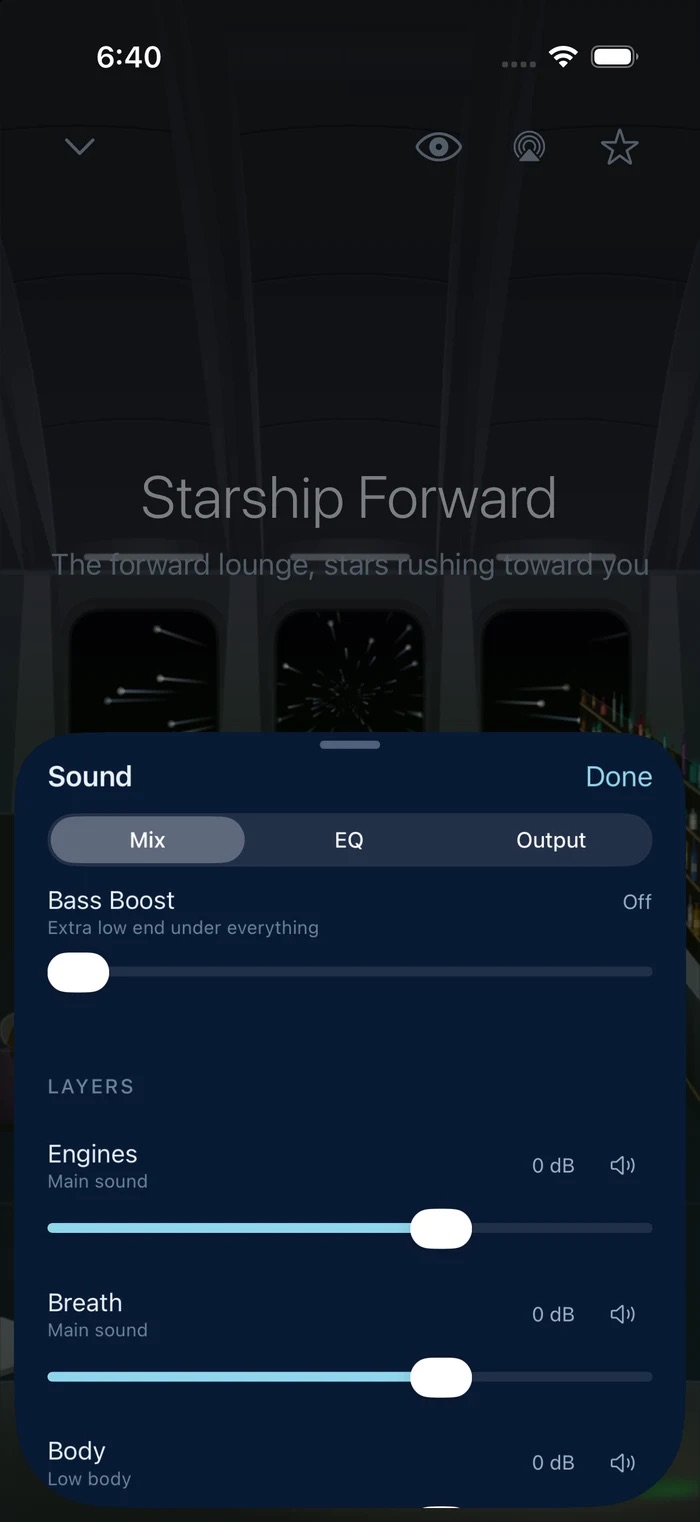
Bring up one layer, turn another down, or mute it altogether. Add Bass Boost when you want more low end.
More ways to adjust +
Intensity, Depth, Presence, and Space give you another way to change the character of a sound. Save the result in My Sounds, and keep your favourites close.
TUNE · CUSTOMIZABLE EQ
Get it sounding
right. For you.
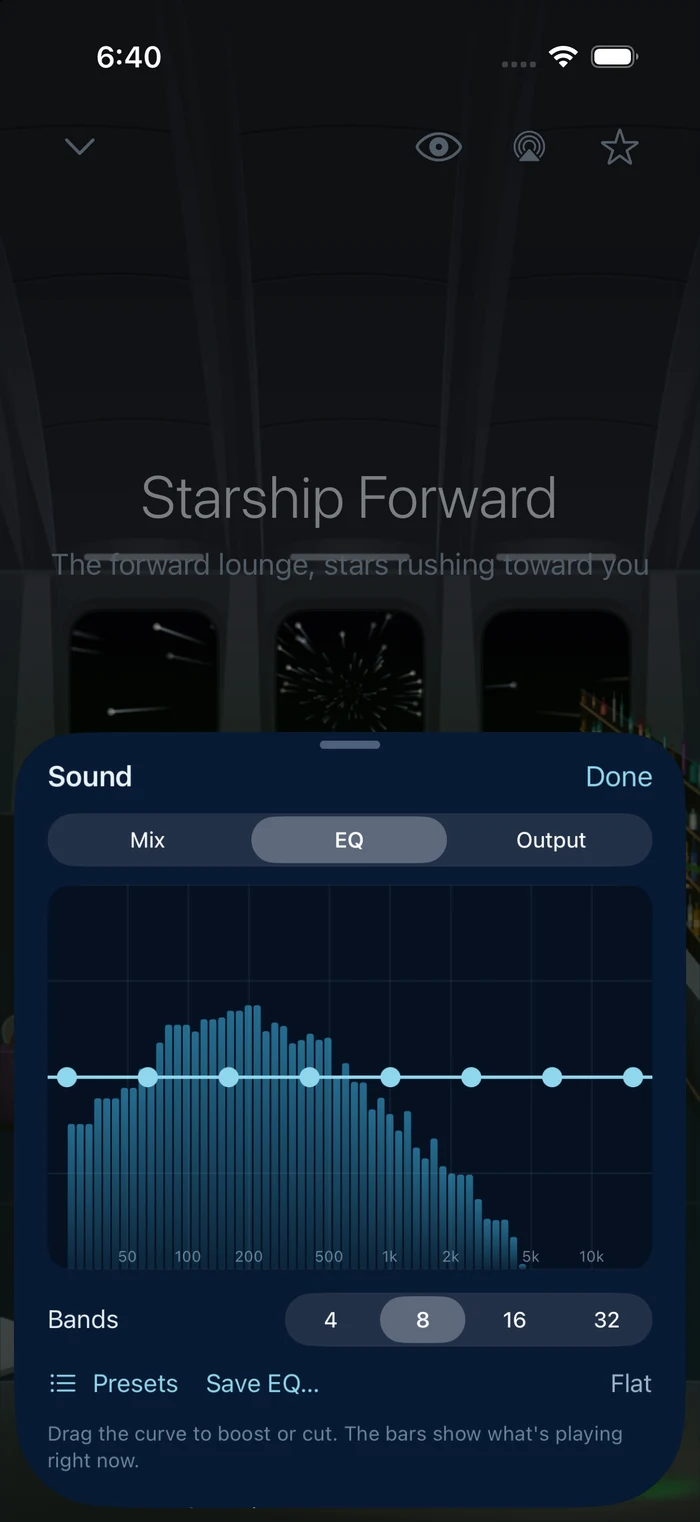
Rain a little sharp? Soften the high end. Want a deeper hum? Bring up the bass. Shape the sound until it’s what you want to hear.
How much can I change? +
Drag the EQ curve using 4, 8, 16, or 32 bands. Watch the live spectrum as you listen, start with a preset, or save your own EQ for next time.
OUTPUT
Now, for
your speakers.
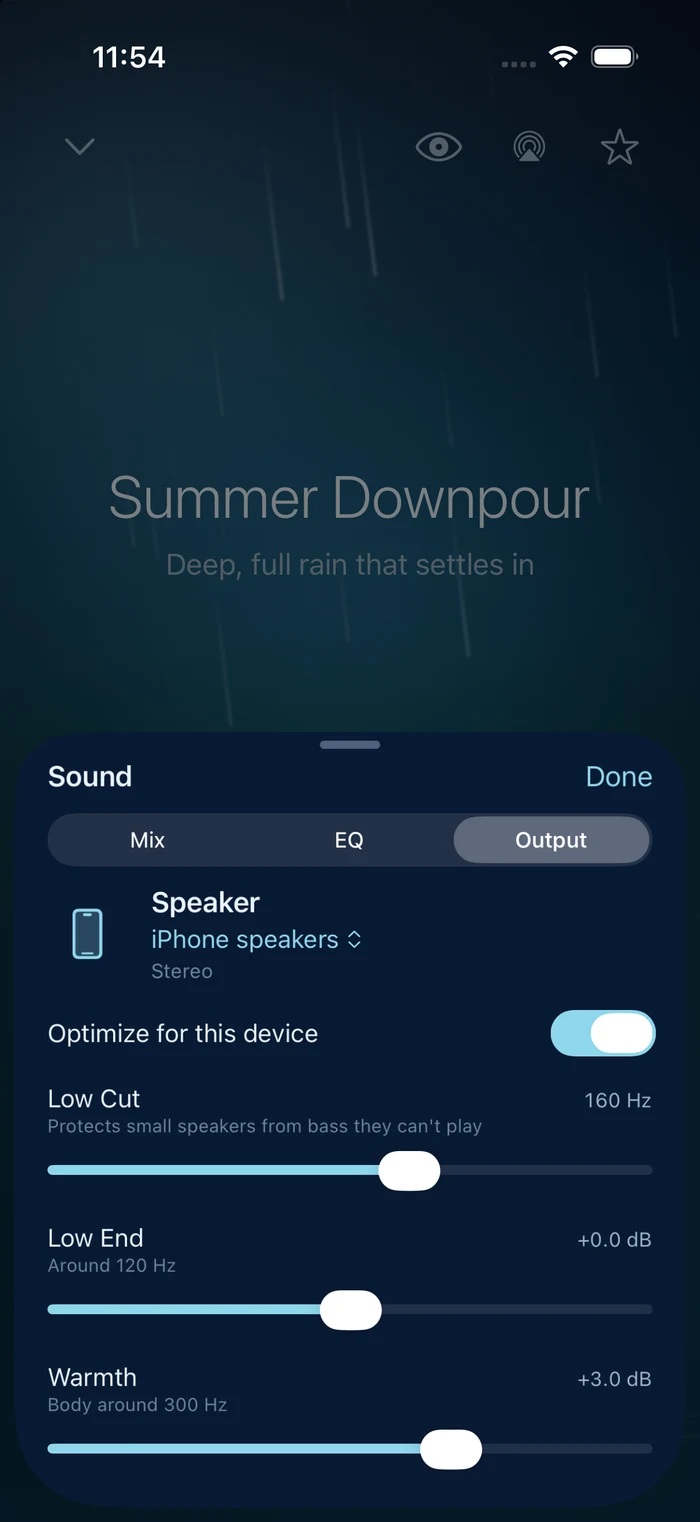
The same mix can sound different on headphones, an iPad, or a Bluetooth speaker. In Output, start with the recommended settings for your device, then adjust them to suit you.
What can I adjust? +
Change low end, warmth, clarity, and stereo width. Use Low Cut to keep small speakers from trying to play bass they can’t reproduce. These controls let you adapt your sound to the device you’re using.
For the way
you listen.
iPhone, iPad, and your speakers +
Listen on your iPhone, enjoy the fuller sound of your iPad’s speakers, or connect a Bluetooth speaker for deeper bass. AirPlay and headphones work too.
Choose the view, too +
Watch the fish in the lake or the fire by the water. Move the lake from daylight through sunset into evening, with realistic and retro pixel-art versions to choose from. Keep a scene on, or let the screen fade to black. An optional, faint clock shows the time in a corner.
Fall asleep without a sudden stop +
Set a sleep timer and choose how long the sound takes to fade out. You can soften the fade when you press pause, too.
Pick up where you left off +
Save your mixes and favourite sounds. Turn on Resume Last Sound to start your last selection when you open the app, and keep playback going when the screen locks.

We’ll let you know.
Exhhhale is coming to the App Store for iPhone and iPad. Leave your email for launch news, or join us as a beta tester.
When is it coming out? +
We haven’t announced a date yet. Join the list and we’ll keep you posted.
Will I need a subscription? +
We’re planning a one-time purchase, with no ads or account required. We’ll confirm the price before launch.